Linux File Permissions: The Commands You'll Use Daily
How to read, set, and troubleshoot file permissions - with the specific patterns I use for SSH keys, scripts, and configuration files.
Misconfigured permissions cause problems constantly. SSH refuses your key. A script won't execute. Config files are world-readable when they contain secrets.
Here's what you need to know.
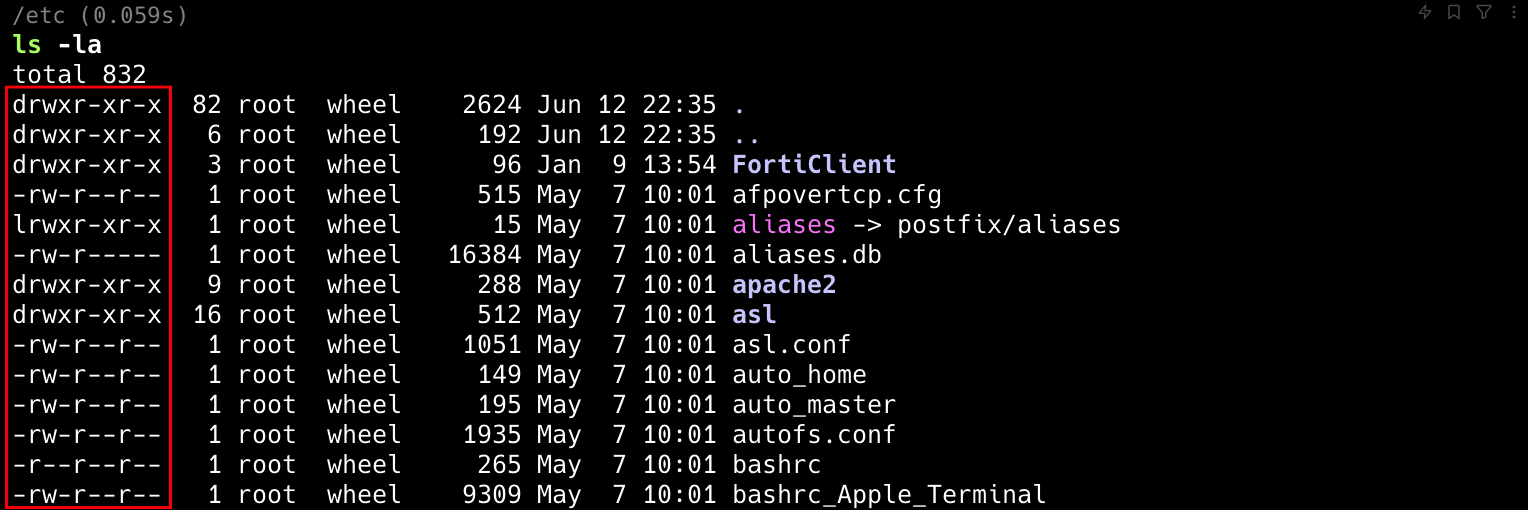
Reading Permissions
ls -l myfile.txt
-rw-r--r-- 1 user group 1234 Jun 20 12:34 myfile.txt
That -rw-r--r-- breaks down as:
-= regular file (d = directory)rw-= owner can read and writer--= group can readr--= others can read
Three permission types:
- r (read) = view file contents
- w (write) = modify file
- x (execute) = run as program, or enter directory
Octal Notation
Once you learn the numbers, it's faster:
| Octal | Permissions |
|---|---|
| 7 | rwx |
| 6 | rw- |
| 5 | r-x |
| 4 | r-- |
| 0 | --- |
So chmod 755 script.sh means:
- Owner: 7 (rwx)
- Group: 5 (r-x)
- Others: 5 (r-x)
Common Permission Patterns
Scripts (755):
chmod 755 backup.sh
Owner can edit, everyone can run.
Config files with secrets (600):
chmod 600 database.yml
Only owner can read. This is what you want for files containing credentials.
SSH private keys (600 or 400):
chmod 600 ~/.ssh/id_rsa
chmod 400 ~/.ssh/aws-key.pem
SSH refuses to use keys with looser permissions. AWS recommends 400 (read-only for owner).
Shared directories (770):
chmod 770 /project
Owner and group have full access, others have none.
Changing Permissions
Octal notation:
chmod 644 file.txt
Symbolic notation:
chmod u+x script.sh     # Add execute for owner
chmod g-w file.txt      # Remove write from group
chmod o-rwx secrets.txt # Remove all from others
Changing Ownership
chown user:group file.txt
chown -R user:group directory/
The -R flag applies recursively.
Common Problems
"Permission denied" on script:
chmod +x script.sh
Scripts need execute permission.
SSH key rejected:
chmod 600 ~/.ssh/id_rsa
SSH enforces strict permissions on private keys.
Can't cd into directory: Directories need execute permission for traversal, not just read:
chmod 755 directory/
Finding Permission Problems
Find world-writable files:
find /path -type f -perm -o+w
Find files owned by specific user:
find /path -user username
Key Takeaways
- Master octal: 755 for scripts, 644 for files, 600 for secrets
- SSH keys must be 600 or stricter - SSH enforces this
- Directories need execute (x) permission for users to enter them
- Use 600 for any file containing credentials
- Start restrictive and loosen only when needed
findwith permission flags helps audit configurations
Written by Bar Tsveker
Senior CloudOps Engineer specializing in AWS, Terraform, and infrastructure automation.
Thanks for reading! Have questions or feedback?